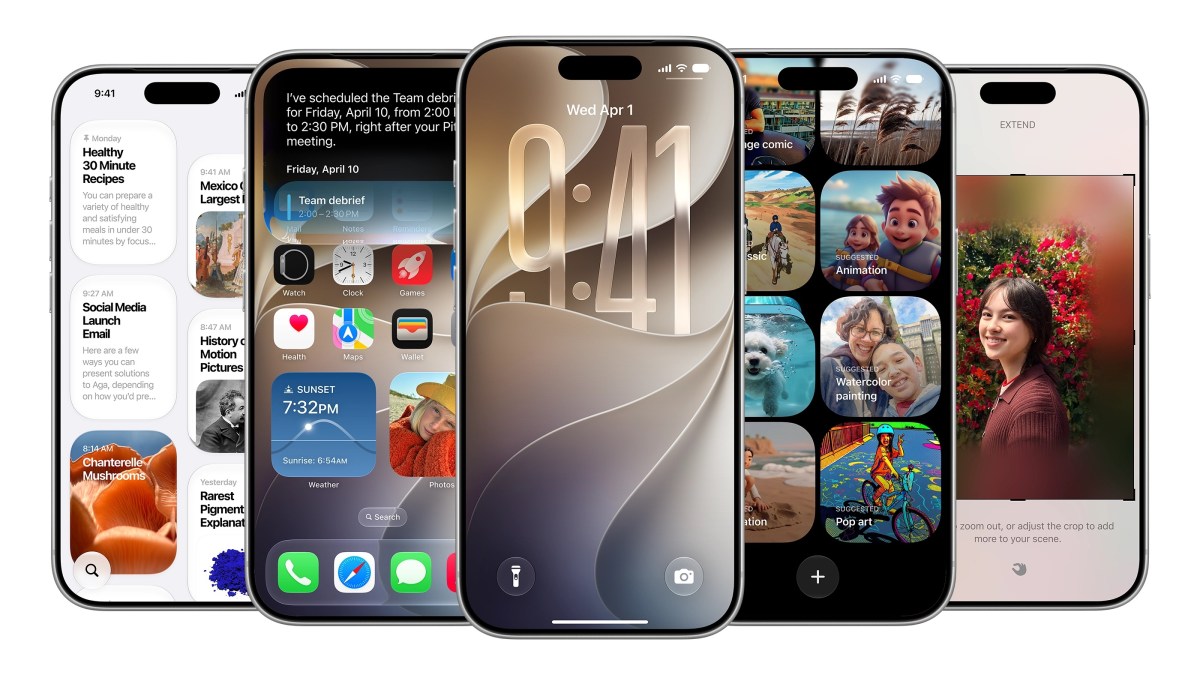
Apple officially announced iOS 27 at its Worldwide Developers Conference on June 9, 2026, introducing Siri AI and a revamped Liquid Glass interface. While the keynote highlighted major artificial intelligence features, the update includes numerous unannounced quality-of-life improvements, refined camera controls, and updated volume management settings for all compatible iPhones.
Granular Control Over System Sounds and Ringtones
One of the most requested features arrives in iOS 27 with the ability to set independent volume levels for various system alerts. Previously, users often struggled with alarms or timers matching the volume of their primary ringtone, but the new software allows for granular control. According to TechCrunch, users can navigate to Settings > Sounds > Haptics, toggle off the “Match Ringtone Volume” setting, and adjust individual sliders for alarms, timers, and system alerts. The Verge notes that this fit-and-finish update significantly improves daily usability for those who prefer specific volume profiles for different notification types. This shift marks a departure from Apple’s long-standing philosophy of unified volume controls, which historically prioritized simplicity over high-level customization for individual system sounds.

Interface Refinements and Liquid Glass Updates
Apple continues to iterate on the Liquid Glass design language introduced in 2025. In iOS 27, users gain a new opacity slider that allows for more precise control over the frostiness of system elements like tab bars. As CNET reports, this slider enables users to toggle between opaque and semitranslucent states, offering a higher degree of customization for interface readability. Additionally, Apple has polished several icon designs, providing a more cohesive look across the operating system. Lock Screen customization also sees a boost; users can now position the time adjacent to the date at the top of the screen, clearing space for wallpaper visibility.

These design adjustments are part of a broader trend in mobile operating systems toward “adaptive UI,” where the software attempts to balance aesthetic minimalism with functional clarity. By providing user-controllable opacity, Apple is addressing accessibility concerns raised by power users who found the high-transparency elements of the 2025 Liquid Glass rollout difficult to read against complex or brightly colored wallpapers.
Device Compatibility and Hardware Requirements
Compatibility remains consistent with the previous release, ensuring that the update reaches a wide range of hardware. WIRED confirms that all iPhones from 2019 and newer—including the iPhone 11 and the 2nd-generation iPhone SE—support iOS 27. However, the experience will vary based on hardware capabilities. While the core operating system runs on older devices, the most advanced AI features are restricted by memory requirements.
Ars Technica highlights that Apple Intelligence requires at least 8GB of RAM, effectively limiting those specific features to the iPhone 15 Pro and newer models. For users on older hardware, the update still provides performance benefits due to an optimized CPU scheduler, which has been ported back from newer architectures. This architectural decision reflects the growing divide between standard software updates and feature-gated AI services, which rely heavily on the Neural Engine and local RAM bandwidth to process large language models without relying entirely on remote cloud servers.
New Siri AI Capabilities and Dedicated App
The integration of AI into Siri transforms the assistant into a more versatile tool. A new dedicated app serves as a central hub for all interactions, allowing for continuity across devices.

“A dedicated app brings together all your conversations in one place, so you can ask a question on your iPhone and pick up where you left off on your iPad,” Apple said. “You can also pin conversations for easy access or start a new one.” — Apple, via CNET
This update effectively positions Siri as an AI chatbot capable of executing actions across core apps like Messages and Reminders. For camera users, a new Siri Mode allows the assistant to provide real-time information about the environment when the camera is pointed at objects, marking a significant expansion of the assistant’s situational awareness. This capability leverages the visual processing unit within the A-series chips to identify landmarks, text, and objects in real-time, providing contextual data overlays.
Industry analysts have noted that by moving Siri into a dedicated application, Apple is signaling a shift toward more complex, conversational interactions that require a persistent history, rather than the “one-off” command structure that defined voice assistants for the last decade. The ability to pin conversations suggests that users are expected to use the assistant for ongoing research or multi-step tasks, mirroring workflows typically associated with desktop-based generative AI tools. As testing moves into the developer beta phase, the focus remains on how well the device-side processing handles these requests compared to cloud-based competitors, a key point of differentiation for Apple’s privacy-focused marketing.
