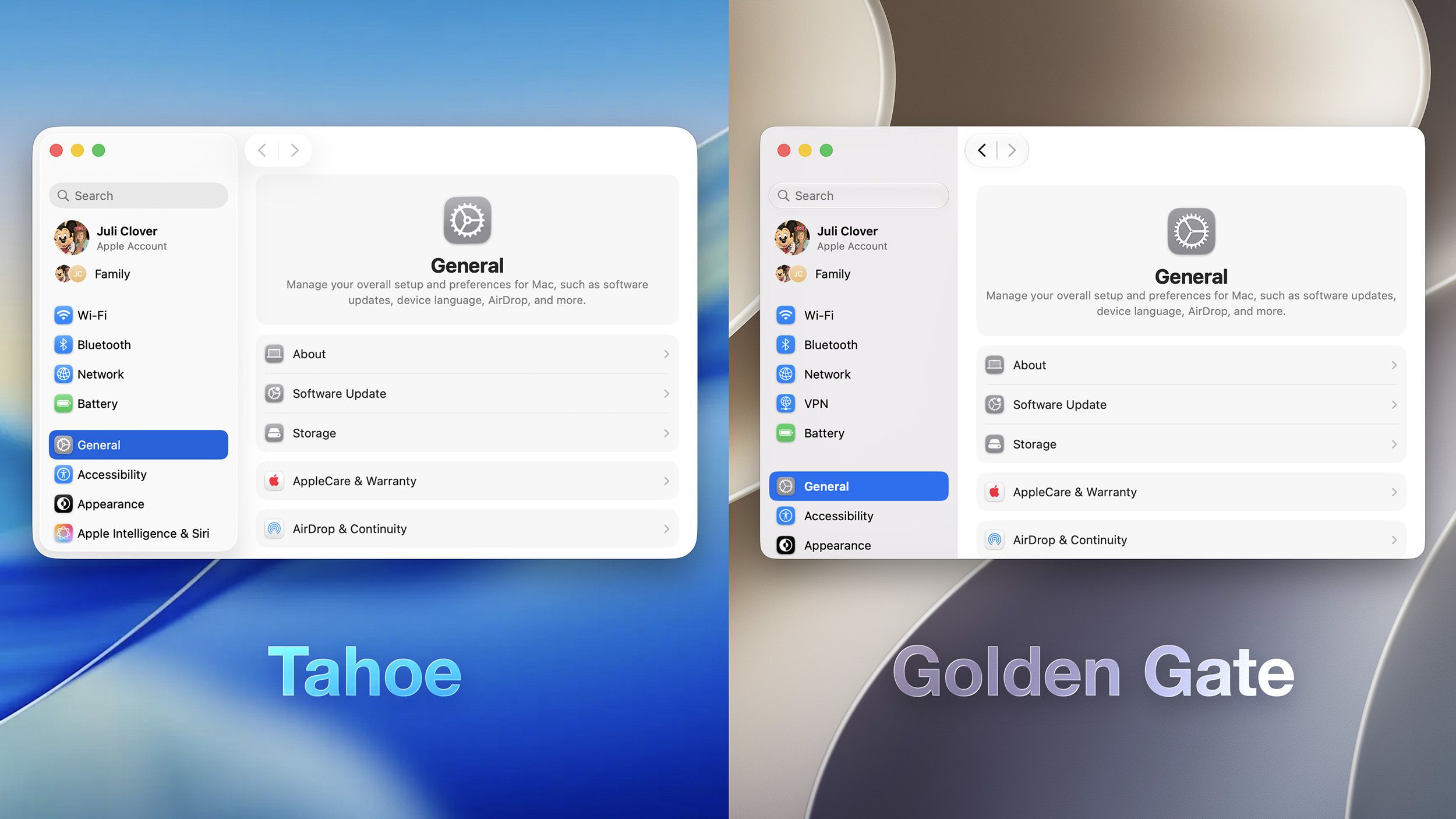
Apple has introduced a customizable Liquid Glass transparency slider in macOS Golden Gate and iOS 27, responding to a year of user feedback regarding readability and design. The feature, announced at WWDC on June 8, 2026, allows users to adjust UI translucency between “Ultra Clear” and “Fully Tinted” settings within System Settings.
Refining the Liquid Glass Interface
Since its introduction in 2025, Apple’s Liquid Glass design has faced criticism from users who argued that the aesthetic prioritized form over function. Concerns centered on the readability of notifications, the distortion of backgrounds behind app icons, and inconsistent window corner radii. According to reporting by MacRumors, Apple is addressing these points in the upcoming macOS Golden Gate release by providing a dedicated slider that adjusts the opacity of interface elements.

The update is not a complete departure from the design language, but rather an iterative step. Shubham Kedia, Apple’s human interface director, framed the change as a response to user input during the company’s keynote presentation. “Like with all major design updates, there is a natural process where we take a bold leap forward, and then we continue iterating,” Kedia said, as noted by AppleInsider. “Our team really appreciates your feedback, and we considered it deeply as we refined the new design over the past year.”

This iterative approach follows the typical Apple software lifecycle, where major design overhauls—such as the shift to Liquid Glass—are often followed by “refinement” updates in the subsequent year. These updates are intended to bridge the gap between the company’s long-term vision for a unified, modern aesthetic and the immediate, practical requirements of users who rely on the OS for professional workflows. The inclusion of the slider suggests that Apple recognizes the tension between its “glass-like” visual identity and the accessibility standards required for diverse lighting conditions and user needs.
How the Customization Slider Works
The new control is located under Settings and Appearance on both macOS and iOS devices. As Mashable reports, the slider allows for a granular adjustment of transparency. Users can drag the setting from the center-default position toward “Ultra Clear” to reduce the frosted effect, or toward “Fully Tinted” to increase it.
While the addition offers more agency, some early testers suggest the visual impact is subtle. The Verge noted that while the slider provides a “gentle admission that the original look went too far,” it does not allow for a fully opaque interface. The publication also highlighted that for users who remain dissatisfied with the glass aesthetic, the existing “Reduce Transparency” option in Accessibility settings remains the only way to remove the effect entirely, though that toggle introduces harsh gray and black backgrounds.
The underlying rendering engine for Liquid Glass relies on real-time blurring algorithms that consume GPU resources. By introducing a slider, Apple has had to adjust how these shaders interact with the windowing system. This change is technically significant because it modifies the composition layer of the interface. Rather than a global on/off switch, the slider acts as a modifier for the blur radius and alpha transparency of the window backing materials. This allows the system to retain the depth-perception cues of the Liquid Glass design while permitting users to prioritize text legibility over decorative atmospheric effects.
Broader Design Adjustments in Golden Gate
Beyond the transparency slider, Apple has implemented structural changes to the macOS interface to improve consistency. These include:

- Sidebar Design: Sidebars are now edge-to-edge and have abandoned the floating look, which Apple suggests reduces distraction and wasted space.
- Iconography: While the “squircle” shape remains, icons have been updated with additional layers of Liquid Glass to improve sharpness.
- Window Geometry: The corner radii of windows have been standardized across the operating system to address complaints regarding inconsistent shapes.
These modifications aim to balance the “liquid” aesthetic with the practical needs of power users. USA Today reported that the interface is designed to “dynamically transforming to hep bring greater focus to content,” according to Apple’s internal design philosophy. This philosophy is rooted in the “content-first” design principle that has characterized macOS since the transition to the current generation of silicon-optimized interfaces. By anchoring the sidebar and standardizing window geometry, Apple is attempting to reduce the “visual noise” that was a frequent complaint in the initial 2025 release of Liquid Glass.
Timeline and Availability
The macOS Golden Gate and iOS 27 updates are currently available to developers in a beta state. A public beta is scheduled to arrive in July, with a full release to the general public expected this fall. Performance improvements, including faster search indexing and memory efficiency, are also expected to accompany the design changes, though early testing on hardware like the MacBook Neo has yielded mixed results regarding app-opening speeds compared to the previous macOS Tahoe version.
The beta testing phase is critical for Apple as it balances the aesthetic demands of the new design against the performance constraints of older hardware. Developers and early adopters are currently monitoring how the new transparency layers impact battery life and thermal output on various machine configurations. While the visual refinements are the most visible change in Golden Gate, the stability of the window management system remains the primary metric for success as the company prepares for the wider autumn release.
